
5 steps to quickly create an impactful E-Learning module

Designing an impactful e-learning module is a major challenge: it requires optimizing both the time spent on instructional design and the effectiveness of learning within your organization. More than just delivering knowledge, this approach promises a dynamic, engaging, and interactive learning experience for employees.
But let’s be honest: creating truly impactful e-learning modules can be time-consuming. As a trainer or instructional designer, you face a double challenge—how to follow a structured approach while boosting the learning impact of your courses?
In this article, discover a five-step method to design impactful e-learning modules quickly, increase completion rates, and ensure real skill development for your learners.
From concept to design
Step 1: define your starting point
Creating an impactful e-learning module starts with careful thought about content and organization.
The first step is identifying your target audience. Each learner has their own level of expertise and prior knowledge. To avoid losing learners along the way, adapt your tone, vocabulary, and style so your content remains accessible to everyone.
"Ask yourself: Who are they? What do they need? What’s their knowledge level? What cultural references do they have? Should you use a formal or informal tone? These choices ensure your module strikes the right balance and resonates with your learners." Pascaline, Project Manager.
Next, gather and prepare supporting resources you’ll use during design. Group them, enrich them, or summarize them as needed. Always check whether each resource aligns with your learning objectives. This avoids overloading learners and ensures they complete the training.
Step 2: Define clear learning objectives
Think of learning objectives as your compass: they guide the course and define the skills learners should acquire.
"A practical tip: complete this sentence “At the end of this module, participants will be able to…” For a 15-minute module, aim for three clear objectives." Pascaline, Project Manager.
Each objective should be concise (under 100 words), specific, and action-oriented. The SMART method is a helpful framework: Specific, Measurable, Achievable, Realistic, and Time-bound. SMART objectives make it easier to track progress, stay focused, and deliver on time.
Example: “At the end of the module, participants will be able to write a learning objective.”
Step 3: Write the synopsis of your module
Your synopsis is essentially the storyline of your course. This is where storytelling comes into play.
Based on your objectives, create a structured plan that breaks down each sequence of your module. For every sequence, define 2–3 key messages to highlight.
"Pro tip: link each sequence with varied activities (e.g., clickable images, labels, videos, processes). Avoid repeating the same input type more than twice in a row—variety is key to keeping learners engaged." Pascaline, Project Manager.
From design to delivery
Step 4: Design your training module
With your synopsis complete, you can now design your module within your LCMS or LXP. Think about how you’ll present your content, highlight key messages, and vary learning formats.
Focus on four key dimensions:
- Engagement: Create meaning, craft a strong introduction, guide learners step by step, and make them active participants.
- Interactivity: Use varied formats and activity types to reinforce key concepts and maintain rhythm.
- Adaptivity: Personalize learning in real time with knowledge checks and adaptive pathways.
- Social Learning: Encourage peer learning and collaboration to deepen understanding.
"Tip: Your introduction is crucial—it’s the learner’s first impression. Explain why the module matters, what learners will gain, and immerse them in an engaging learning environment", Alixe, Head of Customer Experience.
Once your draft is ready, test the learner experience yourself to identify areas for improvement.
Amplify impact with AI-powered Learning
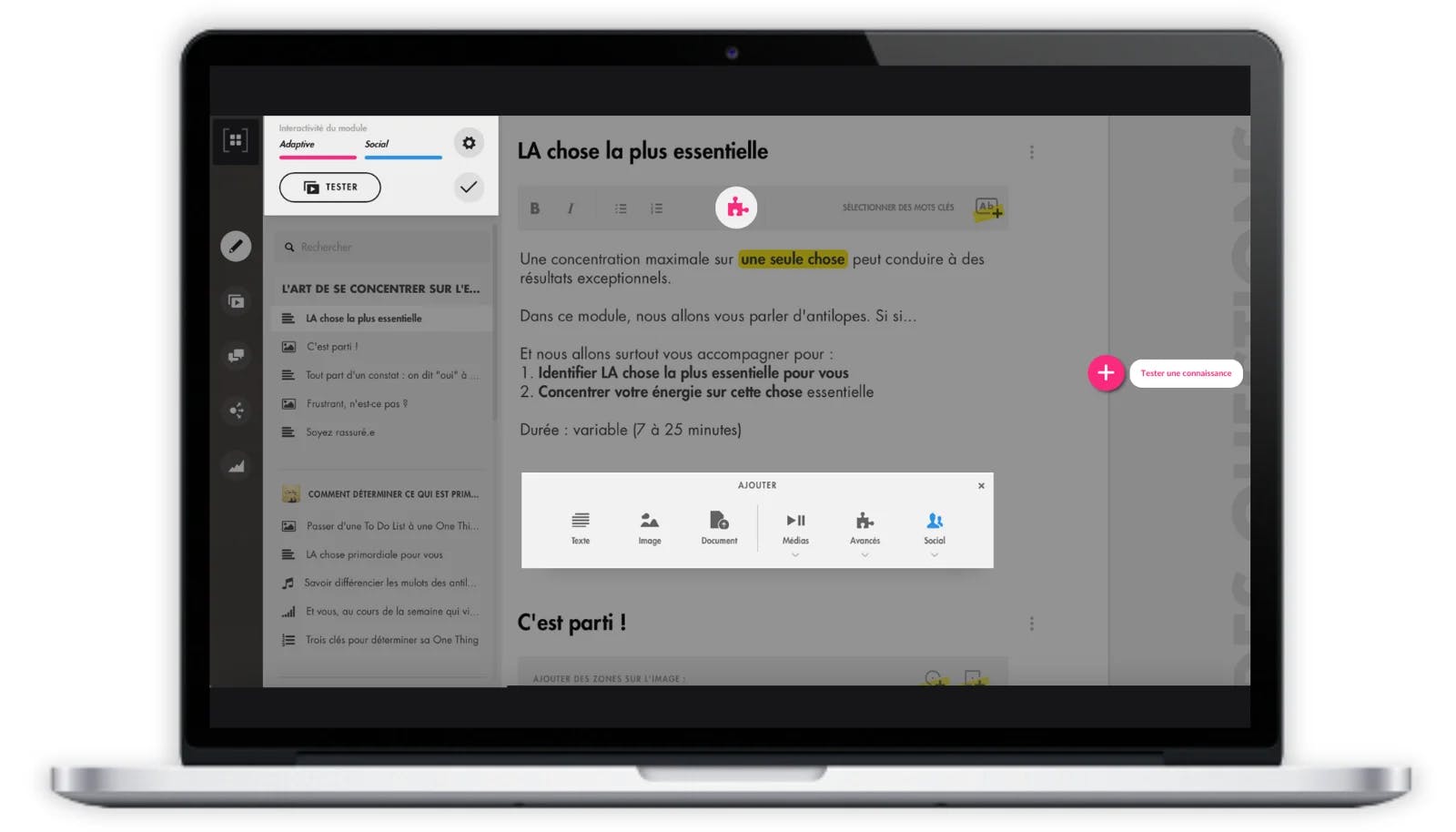
Modern LXPs (Learning Experience Platforms) make it easy to design visually appealing modules while personalizing training experiences using AI-driven data.
With Teach Up’s authoring tool, you can:
- Create interactive, adaptive training that evolves in real time.
- Easily integrate documents (PDF, Word, Excel), videos, GIFs, audio, images, and text.
- Choose from over 30 activity types to vary content and formats.
Accelerate creation with Generative AI
Generative AI can:
- Automatically generate questions, answers, and explanations in seconds.
- Create pedagogically relevant questions from your own keywords.
- Enrich your content with additional resources and explanations.
Personalize learning with Predictive AI
Keeping learners motivated throughout an e-learning module is critical. Predictive AI enables Micro Adaptive Learning, a next-gen approach that personalizes courses in real time.
By analyzing every learner interaction—responses, time spent, engagement, hesitation—AI continuously identifies their expertise level and adapts content, exercises, and pacing instantly.
The results?
- 36% less wasted screen time compared to traditional linear e-learning.
- Shorter, more engaging, and more effective modules.
- Faster knowledge acquisition with higher learner satisfaction.
"Don’t forget the conclusion! Use it to congratulate learners, recap key points, share additional resources, and encourage them to apply their new skills".
Alixe, Head of Customer Experience
Step 5: Deliver your module and measure impact
The final step is distribution. Depending on your platform, modules can be exported in multiple formats (SCORM, API, HTML5, offline, etc.).
Once published, measure impact using key KPIs such as:
- Participation rate: Did the target audience actually take part?
- Completion rate: Did learners finish the course?
- Mastery rate: Did learners acquire the intended skills or knowledge?
- Practice rate: How much time do learners spend applying their new skills?
Want to learn more about Teach Up?
Book a meeting with a Teach Up expert and discover the Adaptive Learning platform that tailors training in real time to each learner.