
LMS, LCMS, LXP or authoring tool: 5 questions to ask before making the right choice

Choosing the right technology to create and deliver e-learning is a critical step when launching an online training strategy. Between acronyms that aren’t always easy to understand and a wide variety of vendors of all sizes constantly innovating, it can be difficult to navigate.
This article sheds light on the digital learning market and helps you ask the right questions before choosing your platform.
Like any market, e-learning comes with its own terminology. To make an informed choice, it’s important to understand the key concepts behind the acronyms you’ll encounter.
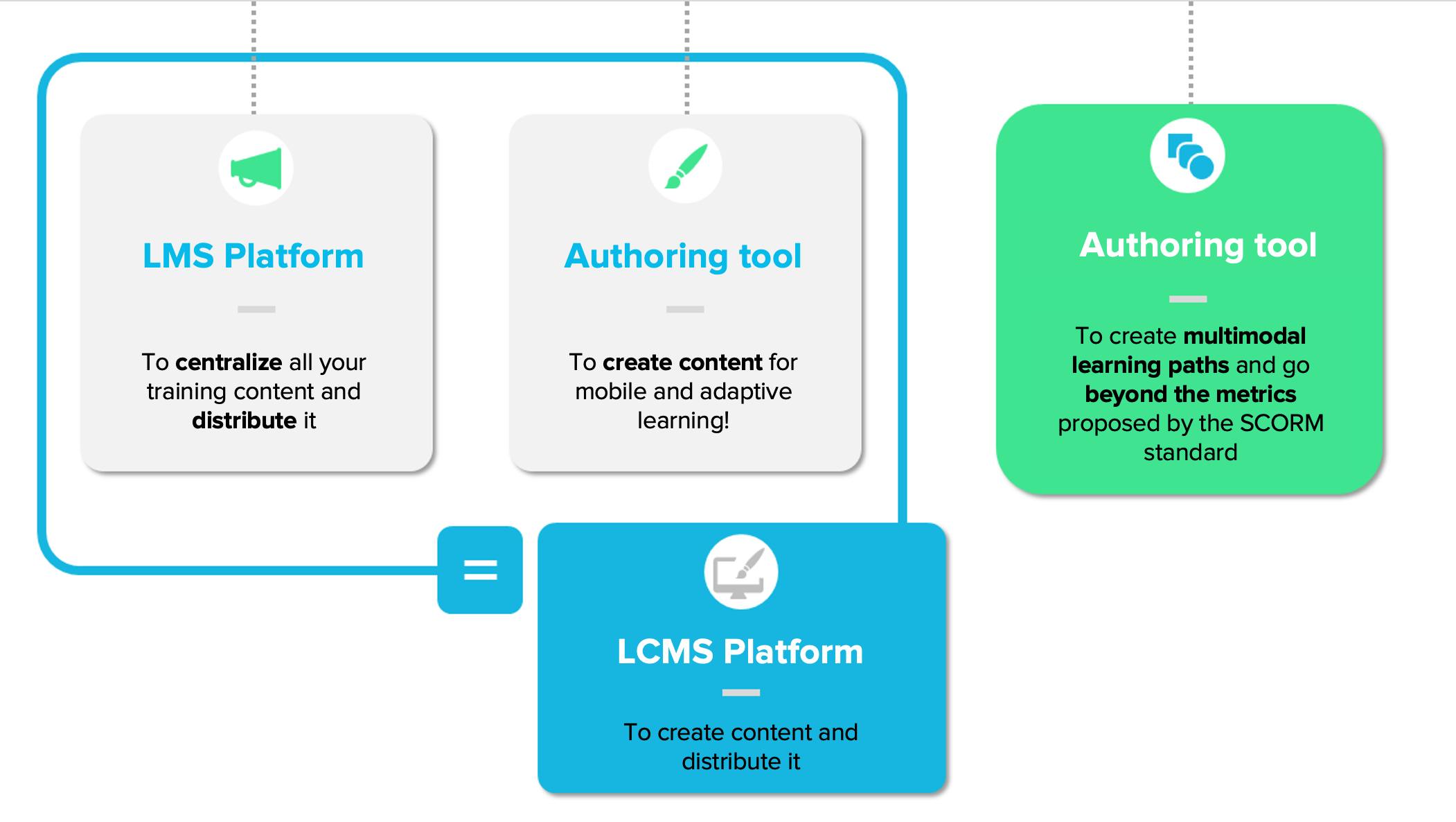
- Authoring tool: a technology that allows you to create learning content (generally e-learning modules and online assessments).
- LMS (Learning Management System): a technology designed to distribute and track the delivery of training and online assessments.
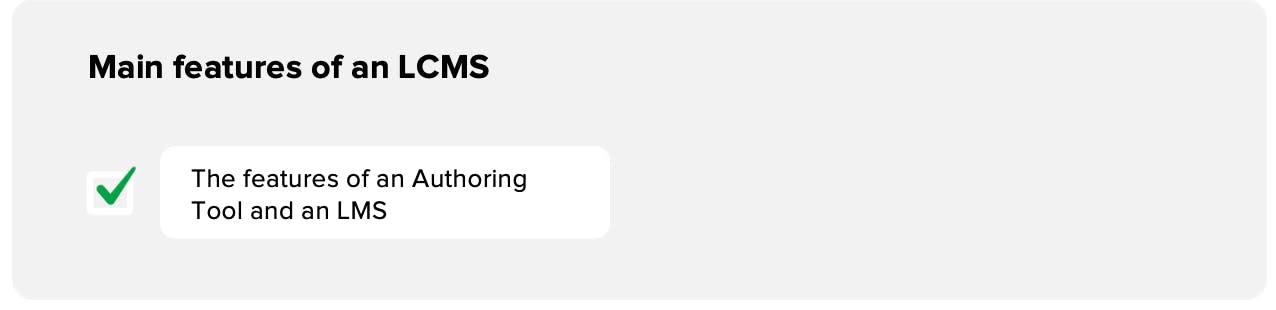
- LCMS: essentially an LMS that also includes an authoring tool. In short: LCMS = LMS + authoring tool.
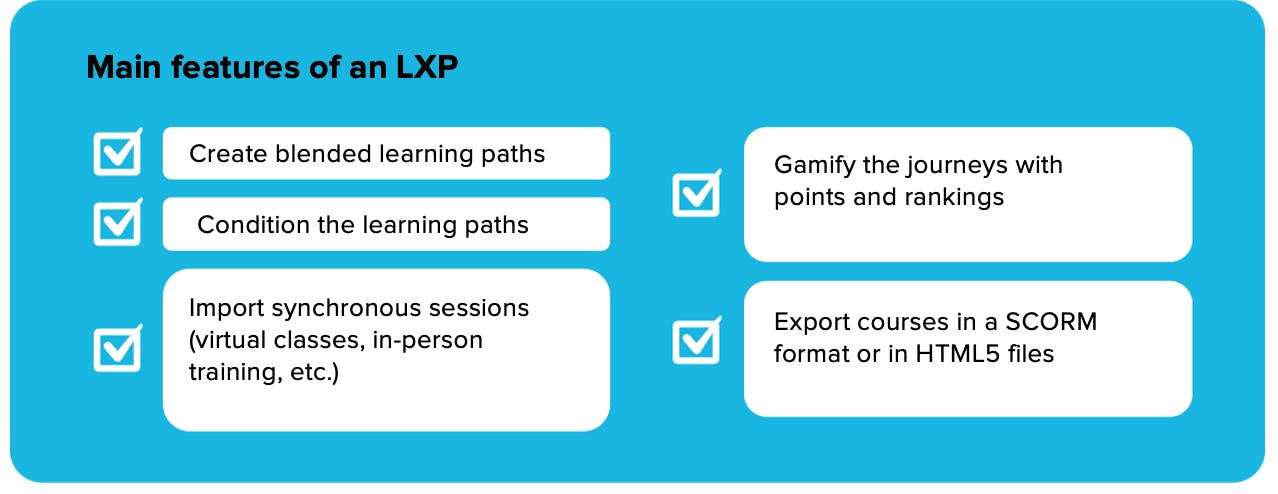
- LXP (Learning Experience Platform): the next generation of LCMS. An LXP allows you to design not only e-learning modules and assessments but also complete, multimodal learning experiences. Think of it as an LCMS with a journey editor where you can integrate virtual classrooms, in-person training sessions, collaborative walls, and even workplace learning activities (AFEST in French).
To recap...
You need an authoring tool if:
- you want to create custom modules with your team and update them independently.
- you already have an LMS but no technology to create content.
- you already have an LCMS, but its authoring tool is too limited for your needs (e.g. to design smartphone-ready content, adaptive learning modules, multimodal journeys, AFEST, or premium-quality modules).
You need an LMS if:
- you already have digital content, either created in-house or purchased from a partner (in SCORM format), and need to distribute it.
- you want to manage learners and track key indicators to oversee training deployment.
You need an LCMS if:
- you need both an LMS and an authoring tool.
You need an LXP if:
- you want to create and deploy not just modules but full multimodal learning journeys (with a SPOC editor, for “Small Private Online Courses”).
- you want to offer your learners complete training experiences spanning several hours or even days.
2. Should I buy and host an LCMS platform, or rent one with a SaaS solution?
When selecting digital learning technology, you have two options:
1/ On-premise: a very small minority of organizations (mainly large enterprises) choose to acquire and host the technology directly on their servers. This requires a dedicated team for maintenance and updates.
- Pros: complete control over technology and security, extensive customization, usually no recurring costs per learner.
- Cons: long implementation time, lack of agility, very high upfront costs, dedicated maintenance teams required, costly and complex feature upgrades.
2/ SaaS (Software as a Service): the most common option. The technology is hosted on your provider’s servers, and you don’t need dedicated technical resources.
- Pros: little or no initial investment, rapid deployment, progressive pricing (usually based on learner tiers), frequent functional updates without extra cost, shared security efforts.
- Cons: subscription-based model, vendor lock-in can make switching difficult, limited customization (some compromises are necessary).
3. What features do I really need?
In this market—as in many others—it’s easy to overinvest in features you don’t actually use. Before you commit, carefully define your needs.
Put simply: before buying a $1,000 iPhone with a $50 monthly plan, make sure you don’t actually just need a $39 Nokia with a $5 plan.
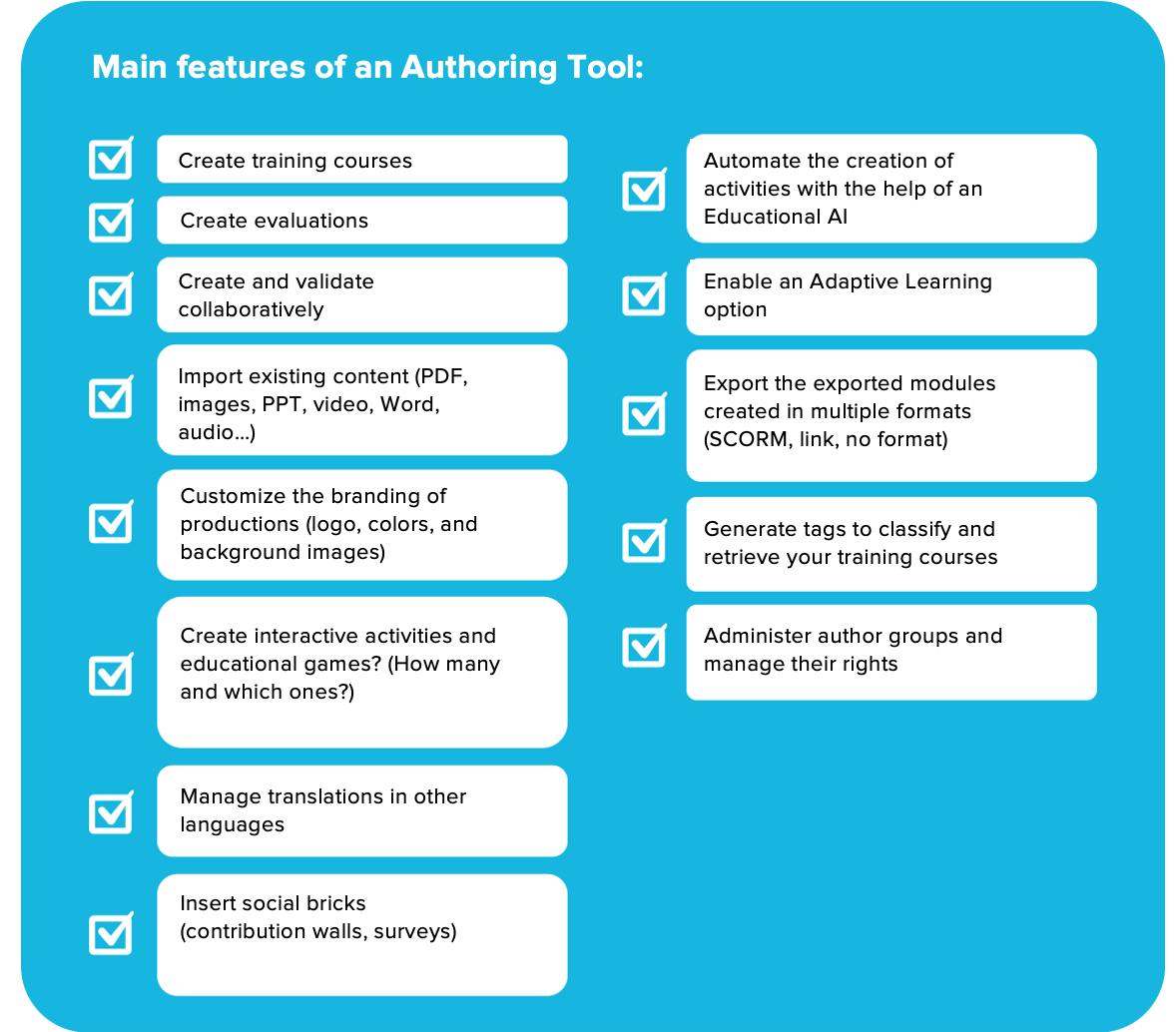
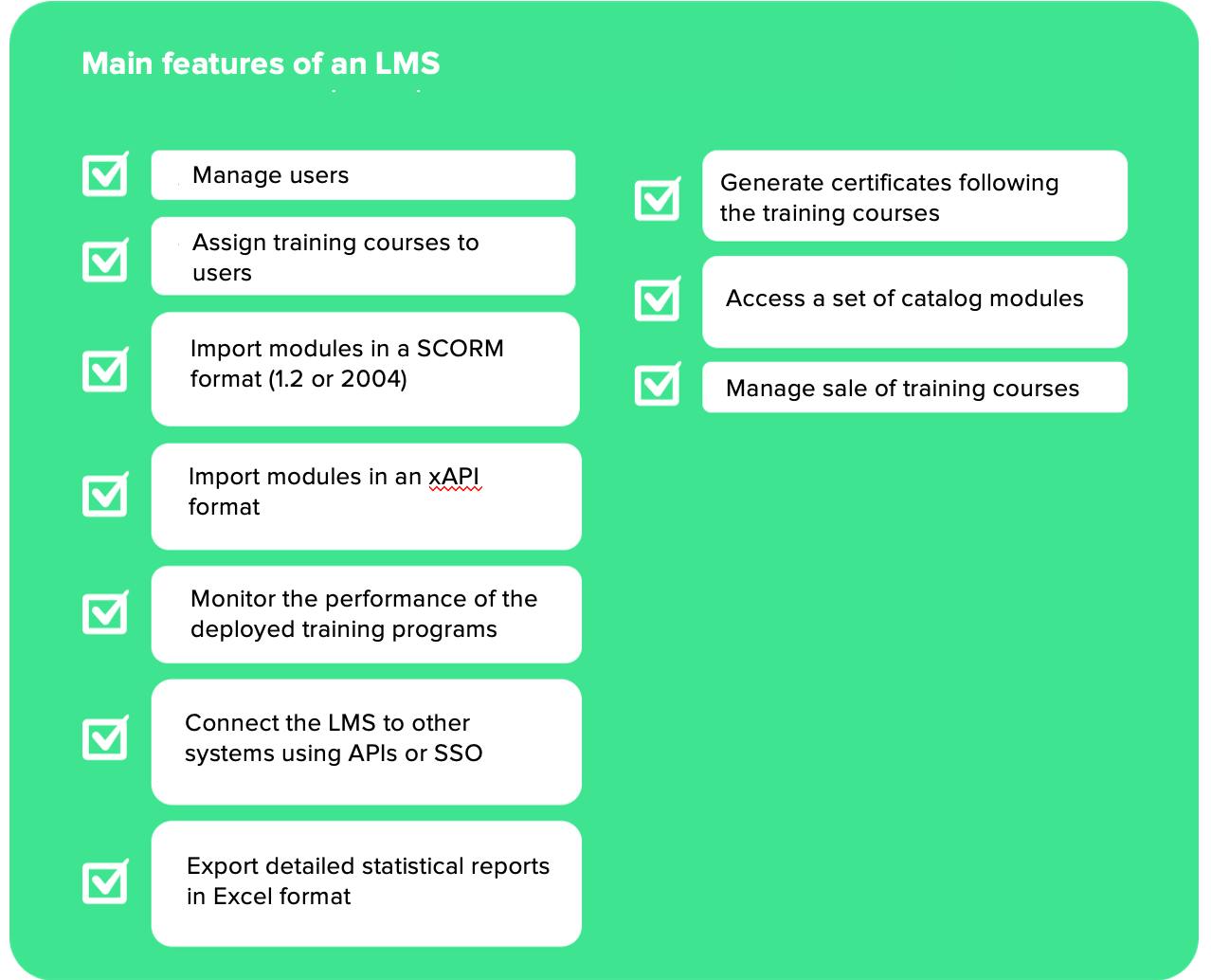
To help you, we’ve put together a checklist of key feature categories for each type of technology: authoring tool, LMS, LCMS, and LXP.
#4. What happens to my e-learning modules if I stop paying?
This is a critical question. By investing in content creation and delivery, you’ll build a proprietary content library. If you opt for a SaaS subscription model, you must clarify what happens to your modules if you decide to end your contract.
Several scenarios exist:
- No export option: the day you stop paying, you lose everything you’ve built.
- PDF export: you can download your modules as PDFs, but they’re no longer usable as learning modules.
- Partial SCORM export: you recover a proportion of your SCORM modules based on subscription length. This allows continued use on other LMS platforms, though without updates or browser compatibility adjustments.
- Full SCORM export: you recover all your content in SCORM format but lose access to platform updates and improvements.
These conditions are always detailed in the provider’s terms of service.
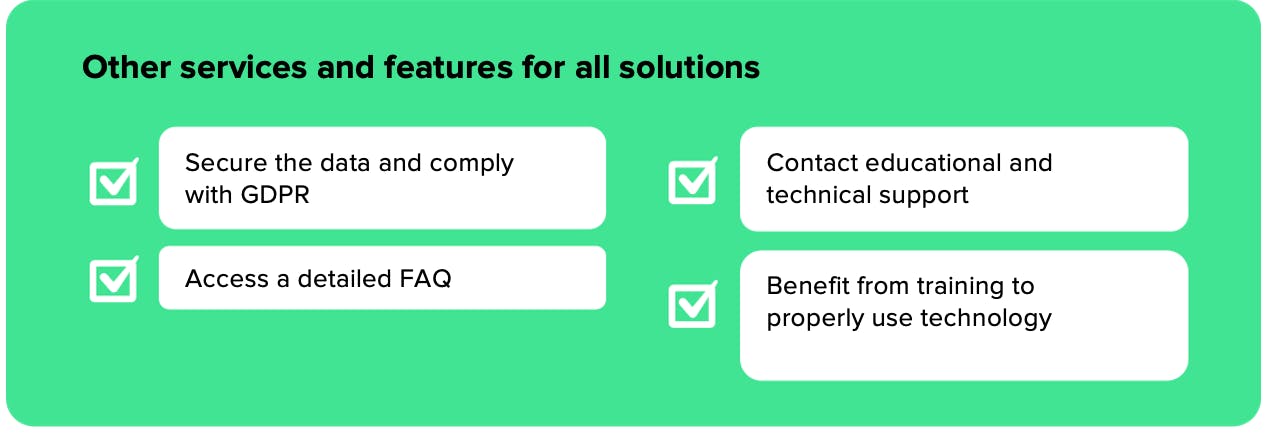
#5. What level of service will I get beyond the LCMS platform?
Technology alone may not be enough. Depending on your needs, you may require support to master the tool or to design and roll out learning journeys over time.
Before making your choice, evaluate the service scope and the pedagogical expertise (not just technical expertise) of your partner. Ask yourself:
- Is there an online FAQ?
- Is support available? When and how can I reach them?
- Are there examples I can use for inspiration?
- Will I receive a newsletter with updates and best practices?
- Will I get training to onboard successfully?
- Can I request additional training to help manage projects? At what cost?
Choosing a digital learning solution doesn’t have to be complicated. Whatever your decision, take the time to test the platform before you commit. Most vendors offer a trial period—use it to ensure the solution truly meets your needs.
Want to know more about Teach Up
Book a meeting with one of our experts